




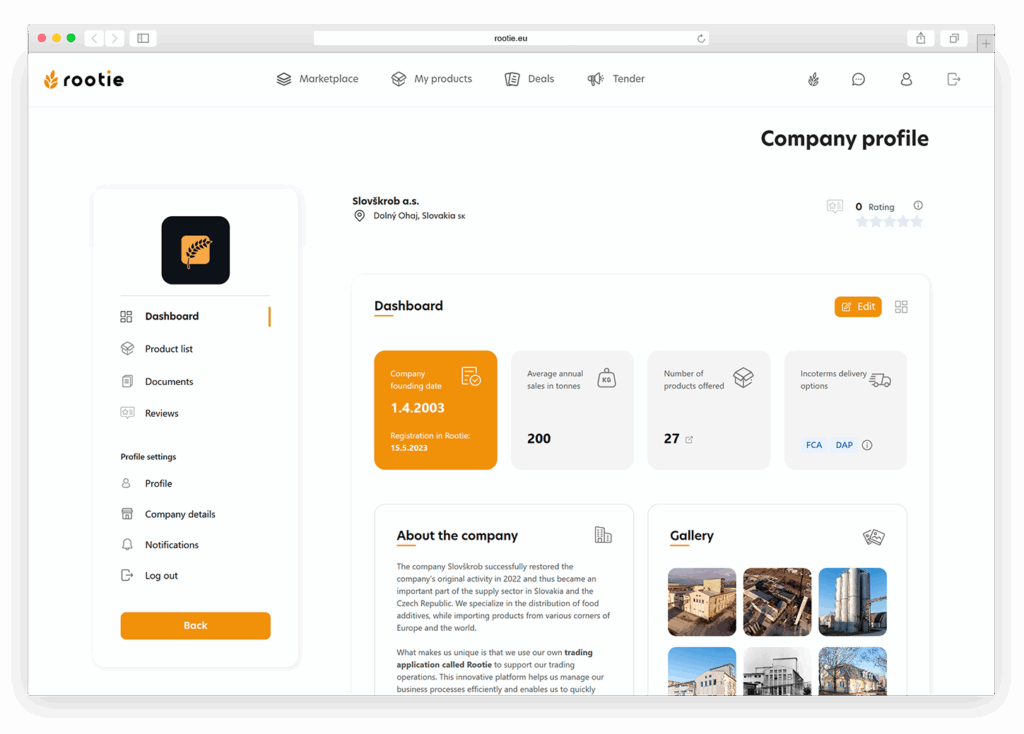
The company profile serves as a public business card for sellers on Rootie (see image no. 56). It includes basic company details, a business description, a gallery, and key performance indicators. When you open the profile, you will see a header with the company name, address, and rating. Below it is the dashboard, which provides a quick overview of the company’s founding date, average annual sales in tons, number of products, and used Incoterms. Further down, you will find the “About the Company” section with a short text description, and next to it a gallery displaying company photos. On the left side, there is the main navigation menu leading to products, documents, reviews, and profile settings.
EDITING THE PROFILE
You can access the profile settings via the “Edit” button or through the “Company Details” option in the left menu. In this section, you can manage all details related to your company. You will find the following sections:
A. Legal Information
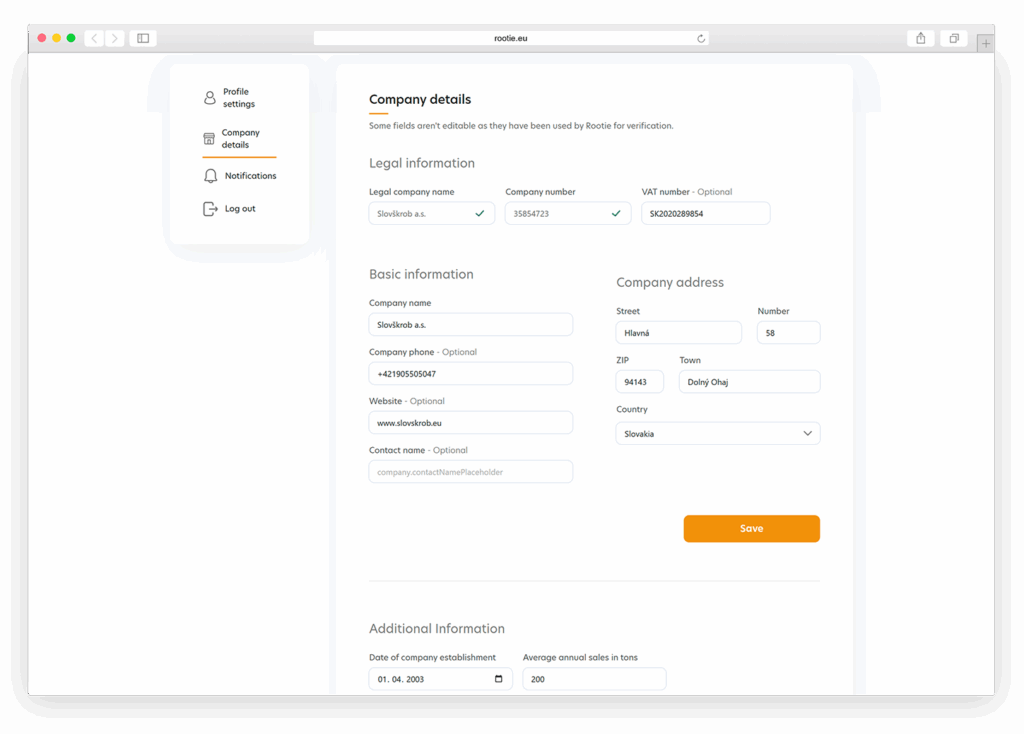
This section contains the data used to identify and verify your company within the system (see image no. 57). Here you will find the official company name, company registration number, and VAT/Tax ID. These details must be accurate and consistent with the business registry, as they are used for administrative purposes and some of them cannot be modified.
B. Basic Information
In this part (see image no. 57), you can edit the information visible directly on your public profile. This includes the company name, phone number, website, and contact email. These details are essential for communication with partners and should always be kept up to date.
C. Company Address
This section contains the complete address of your company: street, building number, ZIP code, city, and country. The address is displayed on your profile and is also used for logistics and partner orientation.
D. Additional Information
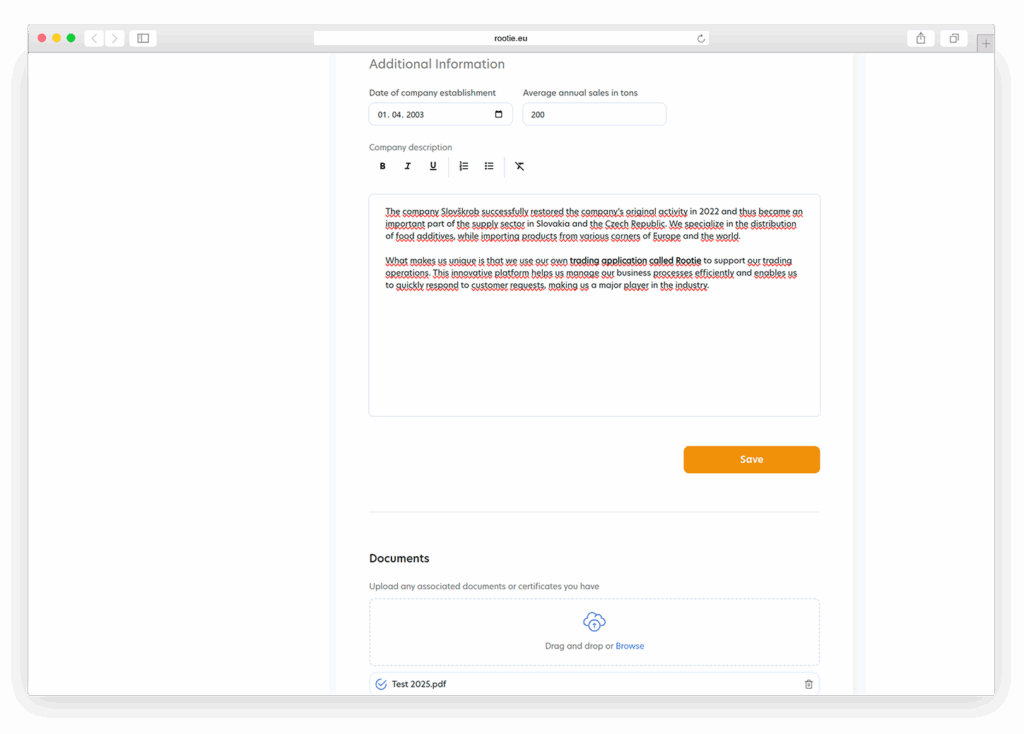
This area (see image no. 58) allows you to enter the company’s founding date, average annual sales in tons, and a text description of your company. The text can be formatted using a simple editor. Aim for a concise and factual description that clearly explains your company’s activities and focus.
E. Documents
Here you can upload files related to your company (see image no. 58) – certificates, technical sheets, corporate presentations, or other important PDF documents. These files are visible to visitors of your profile and help demonstrate your company’s reliability and quality.
F. Gallery
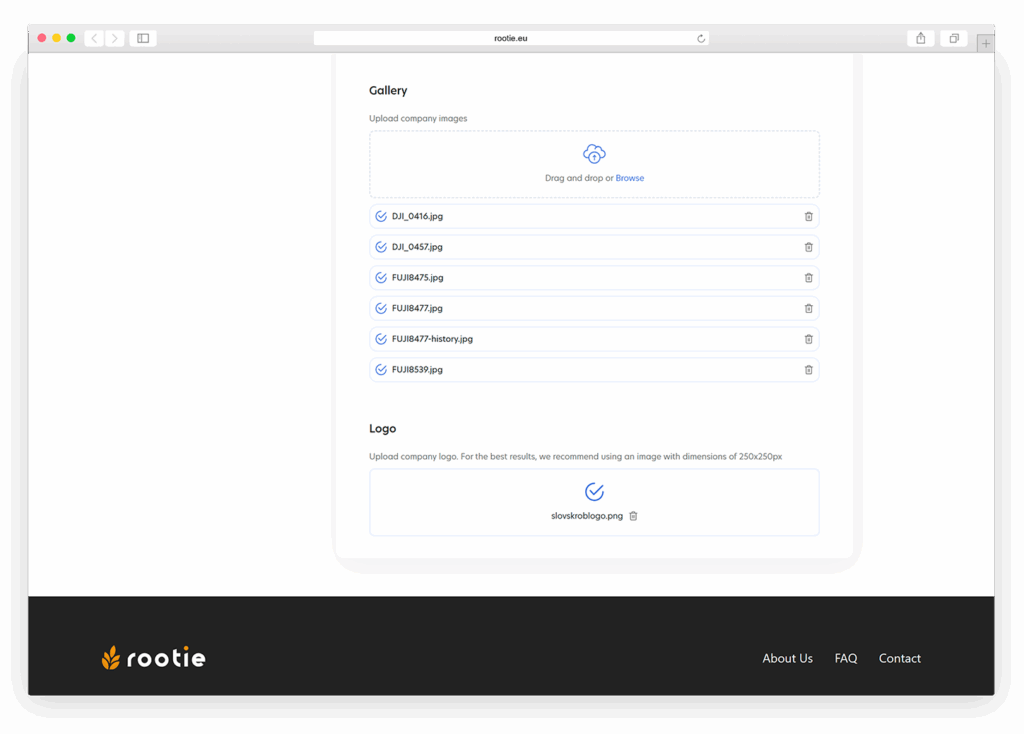
This section is used to upload photos of your facility, production, products, or other relevant images (see image no. 59). These images are displayed directly on your profile, so make sure they are high-quality and up to date.
G. Company Logo
At the end of the editing page, you will find the option to upload your company logo, which is used across the entire Rootie platform (see image no. 59). It is recommended to use an image of at least 250 × 250 px to ensure proper display in all views.
Note
After making any changes to your profile, you must confirm them by clicking “Save”. Until the changes are saved, they will not appear in your profile or be visible to other users.